Python
This example using the Python package pyrtlsdr which is available in the official site here. I used the package version 0.2.92 and Python version 3.8 on Windows 10.
NOTE 1 : To run this script, you need to get RTL-SDR driver installed and confirm working. See this page on how to install and test the driver.
|
from pylab import * from rtlsdr import *
sdr = RtlSdr()
# configure device sdr.sample_rate = 2.4e6 sdr.center_freq = 105.5e6 sdr.gain = 4
samples = sdr.read_samples(256*1024) sdr.close()
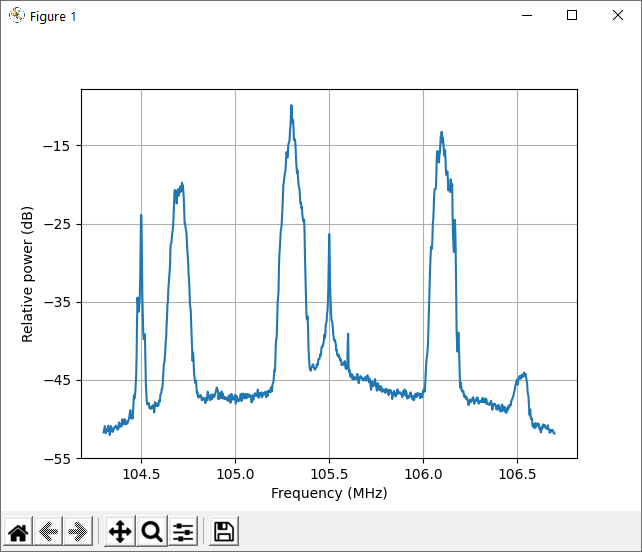
# use matplotlib to estimate and plot the PSD psd(samples, NFFT=1024, Fs=sdr.sample_rate/1e6, Fc=sdr.center_freq/1e6) xlabel('Frequency (MHz)') ylabel('Relative power (dB)')
show() |
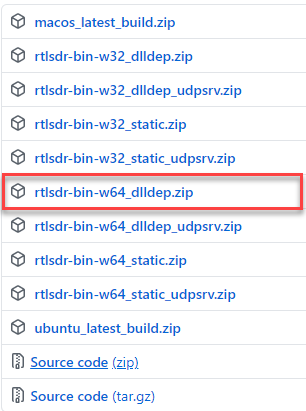
NOTE 2 : This python package requires some dependancies called librtlsdr. I used librtlsdr v0.8 that you can get from here. I used the package as highlighbed below.
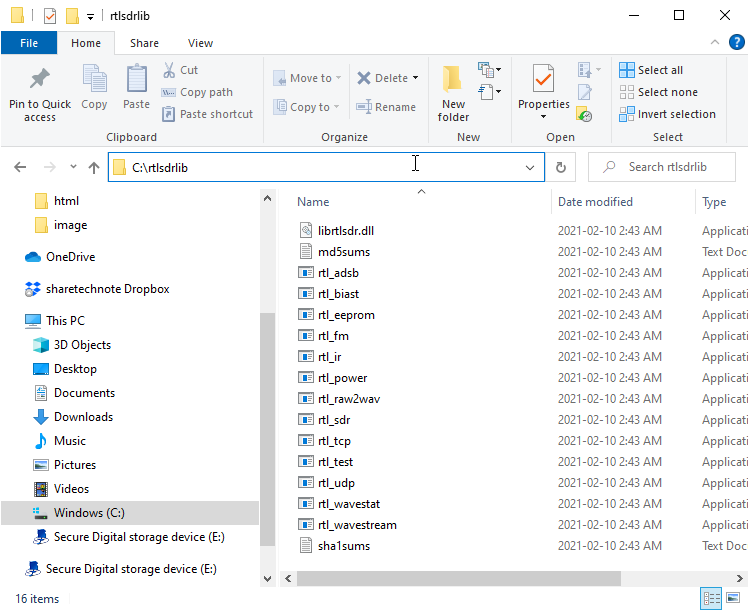
C:\Users\jaeku\AppData\Local\Programs\Python\Python38\Lib\site-packages\rtlsdr
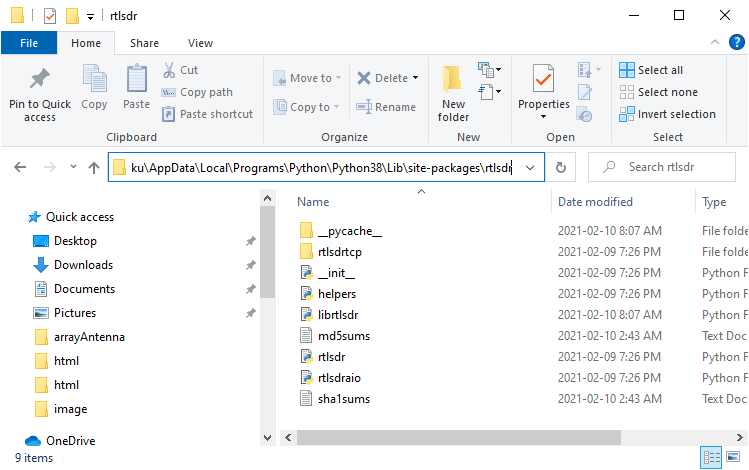
modify librtlsdr.py as follows :
|
import sys import os import ctypes # add this line from ctypes import * from ctypes.util import find_library
def load_librtlsdr(): if sys.platform == "linux" and 'LD_LIBRARY_PATH' in os.environ.keys(): ld_library_paths = [local_path for local_path in os.environ['LD_LIBRARY_PATH'].split(':') if local_path.strip()] driver_files = [local_path + '/librtlsdr.so' for local_path in ld_library_paths] else: driver_files = [] driver_files += ['librtlsdr.so', 'rtlsdr/librtlsdr.so'] driver_files += ['rtlsdr.dll', 'librtlsdr.so'] driver_files += ['..//rtlsdr.dll', '..//librtlsdr.so'] driver_files += ['rtlsdr//rtlsdr.dll', 'rtlsdr//librtlsdr.so'] driver_files += [lambda : find_library('rtlsdr'), lambda : find_library('librtlsdr')] dll = None
# Comment out following part # for driver in driver_files: # if callable(driver): # driver = driver() # try: # dll = CDLL(driver) # break # except: # pass # else: # raise ImportError('Error loading librtlsdr. Make sure librtlsdr '\ # '(and all of its dependencies) are in your path')
dll = ctypes.WinDLL ("c:\\rtlsdrlib\\librtlsdr.dll") # add this line
return dll |
Reference :
[1] Using GNU Radio Companion Part 1
[2] GNU Radio Companion, Part 2
[3] eapbg #59 Intro to GNU Radio Companion, reading a key fob with SDR